Unlock your Mac
with a Tap.
Open your MacBook instantly. Set a custom trackpad pattern to automatically enter your password when your Mac wakes.
"Finally a way to unlock my Neo without reaching for the key."
Marcus J."Does exactly what it says. Love it."
Alex M."Clamshell trackpad users, this is a must-have tool."
Emma R."Such a clutch mac app that fixes a very specific problem."
Leo S."Set it up in 30 seconds."
Jordan P."Actually faster than TouchID."
David W."The patterns feel so natural."
Sarah K."Actually faster than TouchID."
David W."Clamshell trackpad users, this is a must-have tool."
Emma R."Finally a way to unlock my Neo without reaching for the key."
Marcus J."The patterns feel so natural."
Sarah K."Does exactly what it says. Love it."
Alex M."Such a clutch mac app that fixes a very specific problem."
Leo S."Set it up in 30 seconds."
Jordan P.How It Works
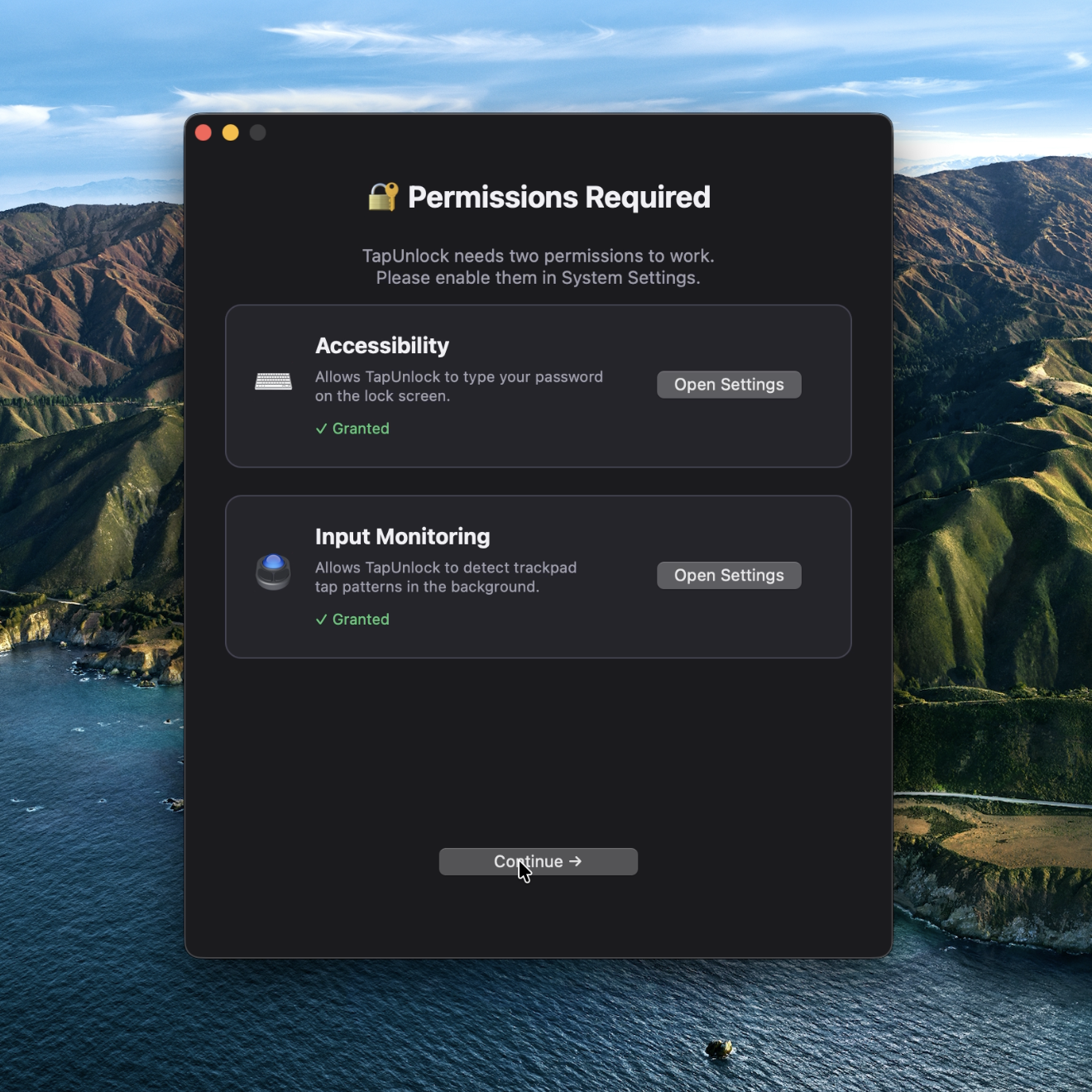
1. Quick Setup
Grant Accessibility and Input Monitoring permissions. TapUnlock runs silently in your menu bar.
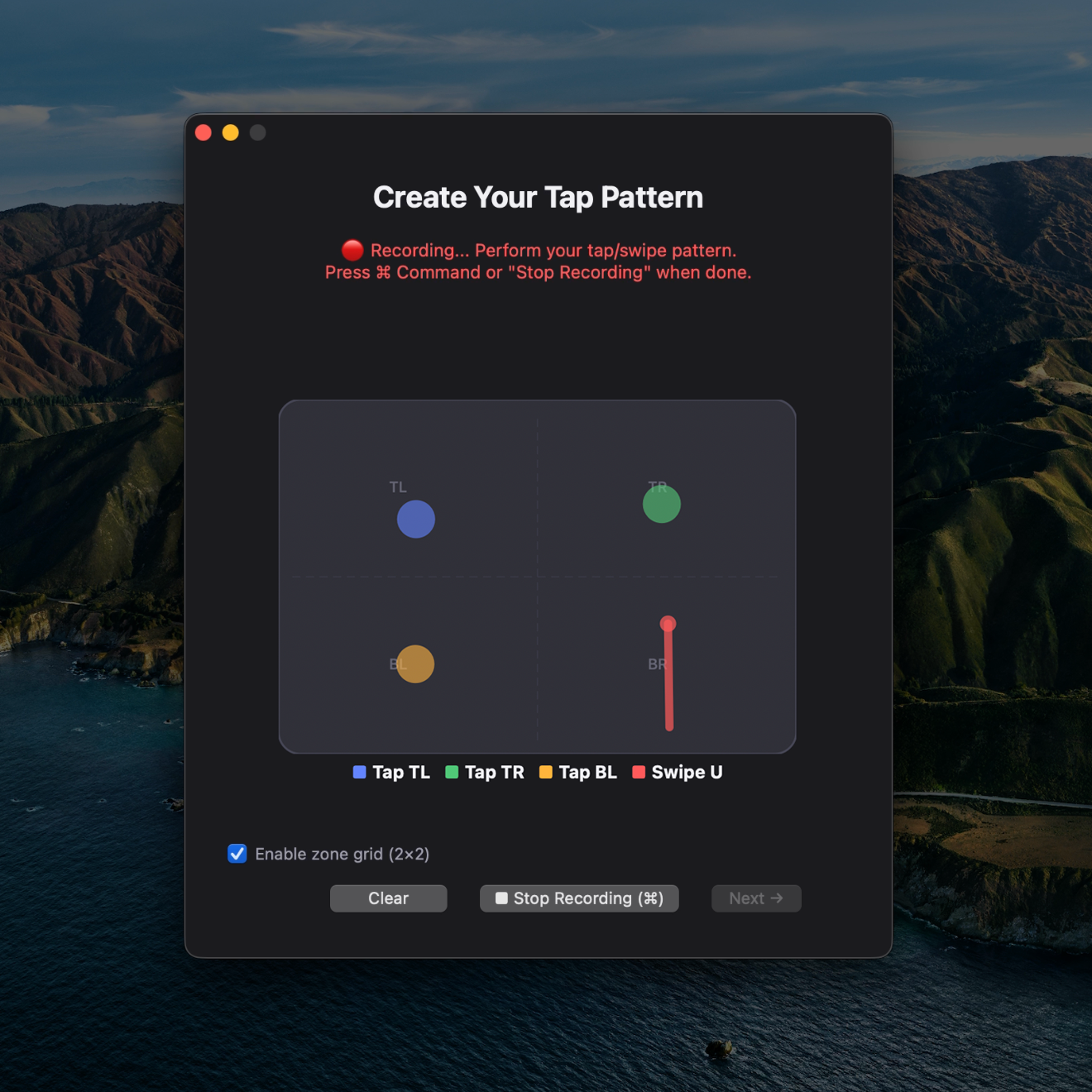
2. Record Your Pattern
Use the 2x2 grid to map out a sequence of taps and swipes. Your custom combination is stored securely.
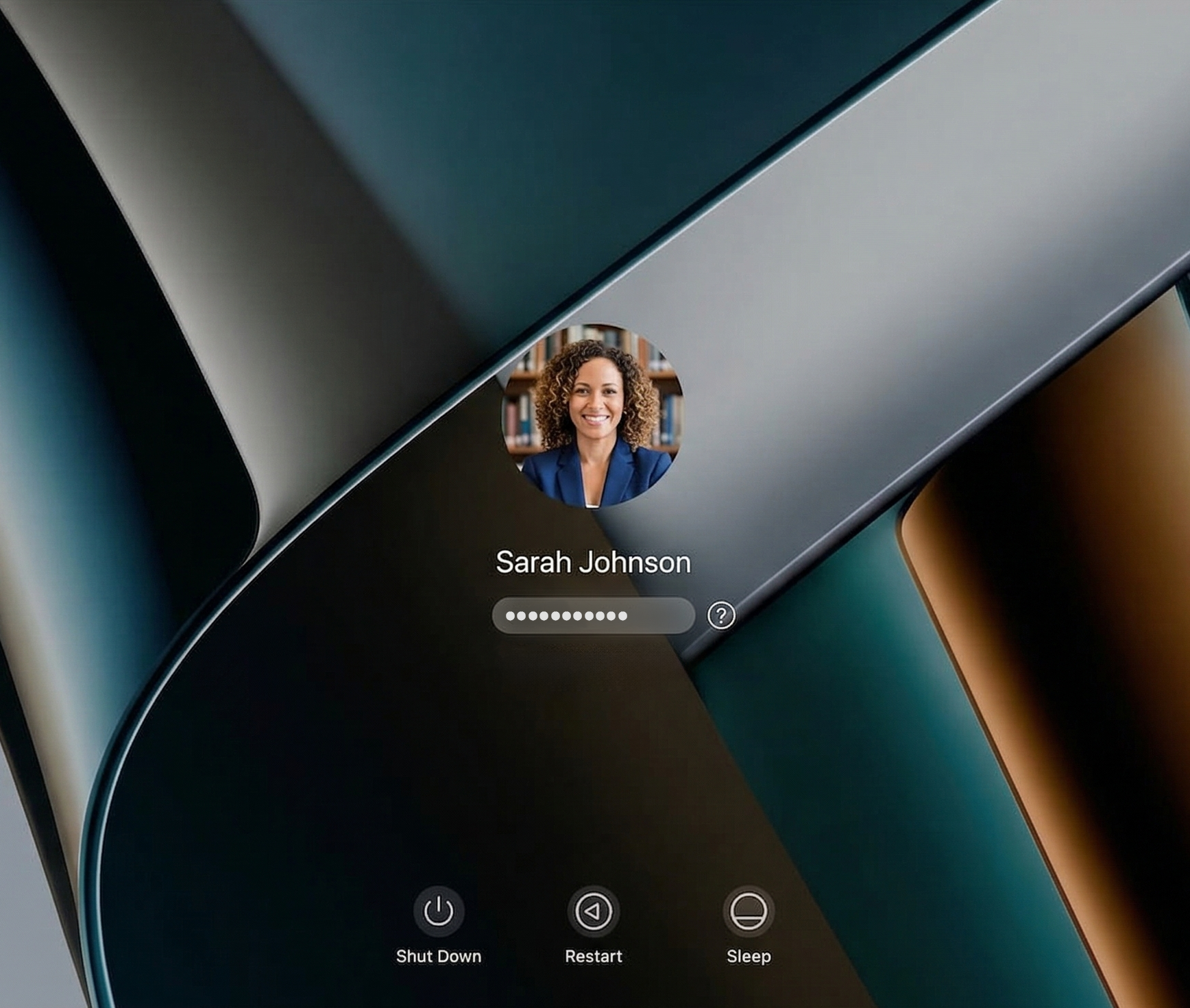
3. Wake and Unlock
When the screen locks, just perform your tap pattern. TapUnlock types your password directly into the login screen.
Why TapUnlock?
Let's be real: TouchID fails the second your hands are slightly wet, cold, or too dry. A gesture is mental—it doesn't rely on a sensor's mood. It's the 'secret knock' that always works on the first try.
If you use your Mac on a stand or with the lid closed, reaching over to the laptop sensor is a pain. TapUnlock lets you enter your password directly from the trackpad you’re already using, keeping you in the flow.
Fingerprints are biometric data collectors left on every surface you touch. Unlike biometrics—which can be legally subpoenaed in many jurisdictions—your pattern lives only in your head. It’s security by knowledge, not by physical presence.
Whether you're rocking a classic Intel model or the new MacBook Neo that skipped the TouchID sensor, TapUnlock adds that premium, instant-access feeling back to your desk setup.
Compatibility
| Architecture | Apple Silicon (M-Series) & Intel Core processors |
| Hardware | Any MacBook with a Trackpad or Apple Magic Trackpad |
| Operating System | macOS 12 (Monterey) or newer |
Pricing
Lifetime License
Unlock the full power of your trackpad. Includes lifetime access, priority support, and all upcoming features.
Buy TapUnlock Now